
YouTube Thumbnail Sizes: What Matters After You Already Know 16:9
Most thumbnail guides stop at “1280 × 720, 16:9, under 2 MB.” That information is necessary, but it does not answer the decisions creators and reviewers make every day: how much detail survives on mobile, when larger source art helps, and why a thumbnail can look correct on the watch page but crop differently on discovery surfaces.
The official baseline
YouTube says custom thumbnails should be as large as possible, recommends 3840 × 2160 pixels with a minimum width of 640 pixels, accepts JPG/GIF/PNG, and notes that 16:9 is the most-used aspect ratio in players and previews. It also states that vertical videos with 16:9 custom thumbnails can be replaced by an auto-generated 4:5 thumbnail on home, Explore, and subscription pages. Official YouTube thumbnail guidance.
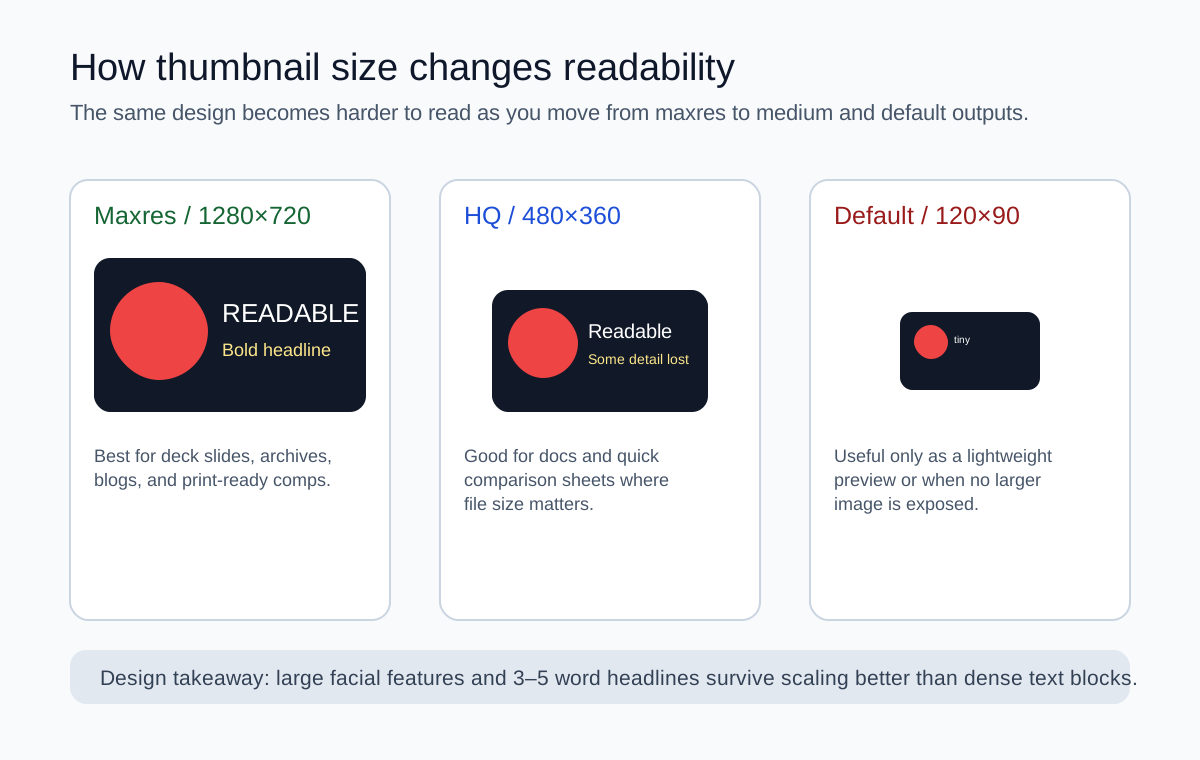
Before/after thinking: one design, three outcomes
Creator-specific design constraints
| Creator type | Primary constraint | What to optimize | Typical mistake |
|---|---|---|---|
| Tutorial creator | Needs topic clarity in search results | Short headline + recognisable object or interface | Packing the full lesson title into the thumbnail |
| Entertainment / reaction channel | Emotion must read instantly | Large facial expression and one focal color contrast | Faces too small to survive mobile scaling |
| News or commentary brand | Needs trust and speed, not clutter | Strong framing and consistent series label | Overusing tiny logos and badges |
| Podcast clips / interviews | Two-person layouts get crowded fast | Clear hierarchy between guest, host, and title | Equal sizing for every face and text block |
What Google’s API docs add beyond the help center
The YouTube Data API thumbnail reference is especially useful because it explains behavior that design guides rarely mention: size buckets such as default, medium, high, standard, and maxres may differ between resources, and uploaded thumbnails can be resized to required dimensions without changing aspect ratio, which can introduce black bars. Official thumbnails resource docs.
Safe-area checklist for approvals
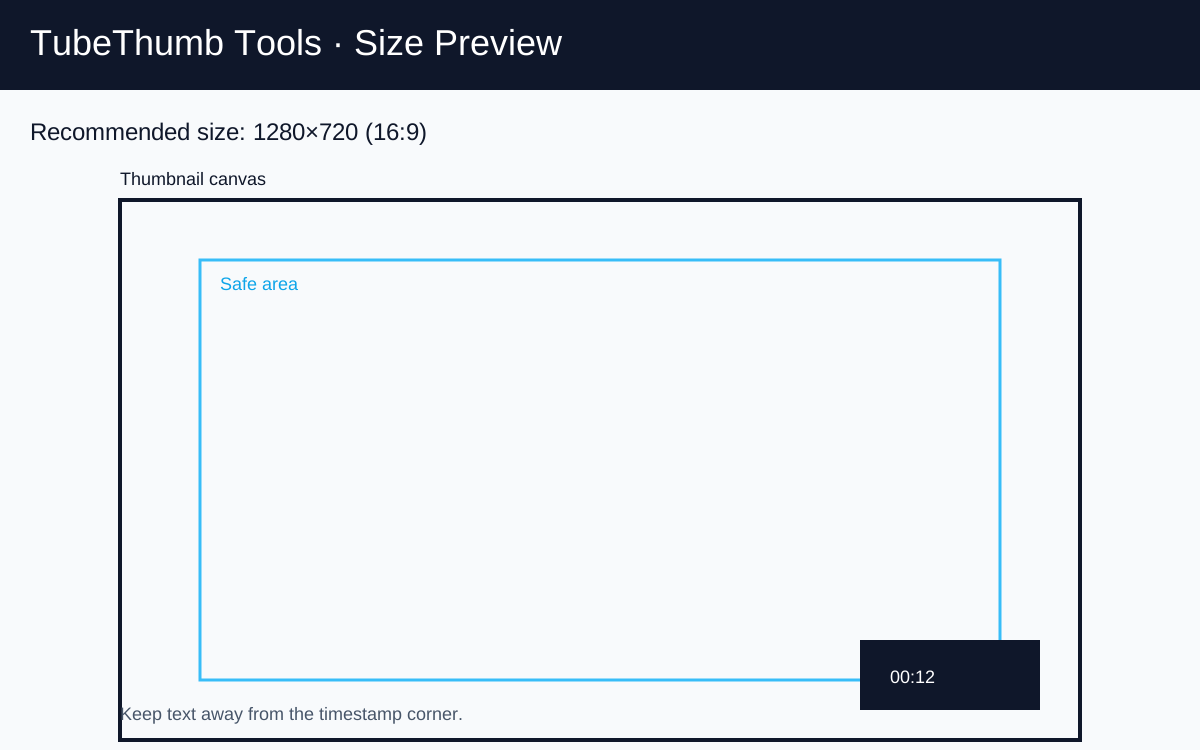
- Keep critical text out of the bottom-right timestamp zone.
- Assume the outer edges may feel tighter on some discovery surfaces than in your design tool.
- Use no more than one main message and one supporting cue.
- Test whether the subject remains legible at roughly 10–15% zoom.
- If the video is vertical, inspect mobile surfaces separately because YouTube may use an auto-generated 4:5 treatment there.
When a larger source file is worth it
A 3840 × 2160 source file gives you more freedom for repurposing, cropping, and archival storage. But if the final image is overloaded with tiny details, the larger canvas only preserves a bad composition more faithfully. Larger files are most valuable when you need post-production flexibility, not when you are trying to rescue a weak layout.
Want to inspect the actual public sizes for any video instead of theorizing? Use the thumbnail grabber and compare what that specific upload exposes.