Publishing systems

Thumbnail Testing and CTR Workflow Guide for Teams That Need More Than “Try a New Image”

Written and reviewed by Alex Carter, founder and editor of TubeThumb Tools.

Alex tests the site’s browser-based tools, documents repeatable thumbnail workflows, and updates resource pages when creator operations or platform packaging behaviors change.

Reviewed and updated: March 20, 2026

Audience/problem: This guide is for creator operators, editors, and consultants who want a repeatable thumbnail review process. The problem is not usually a lack of ideas; it is the lack of a clear workflow for deciding what changed, why it changed, and what should be saved for the next upload.

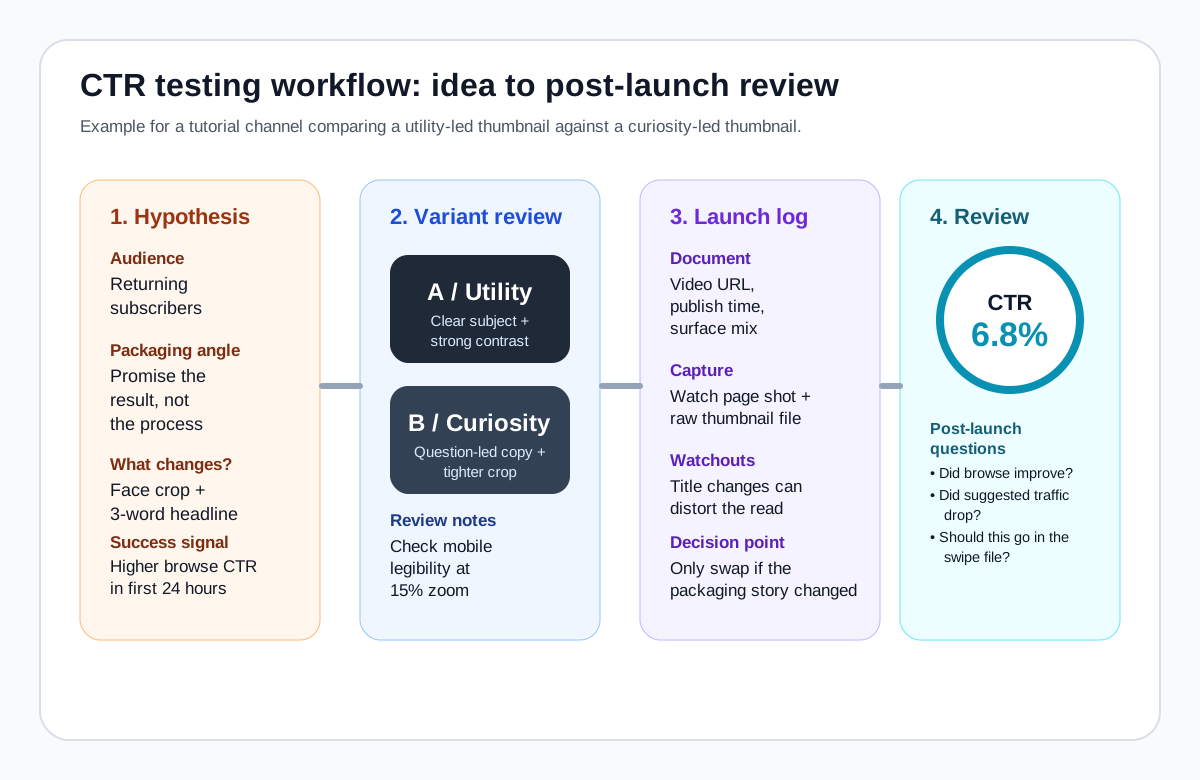
Illustrated CTR workflow showing thumbnail hypothesis, variants, launch log, and post-launch review
Original example: a simple packaging board that makes thumbnail testing legible to an editor, not just a designer.

The working rule

Treat thumbnail testing as a packaging review, not an isolated image test. CTR is shaped by the thumbnail, title, topic, timing, audience mix, and traffic surface. A better workflow keeps your team from attributing every result to the image alone.

What to document before you change anything

What to log Why it matters Common shortcut that hurts later Best related tool
Public thumbnail file and watch URL Lets you compare the real public asset instead of a local PSD Saving only a screenshot from Studio Thumbnail Grabber
Traffic surface you expected to dominate Browse, search, and suggested viewers respond differently Judging one image as if every impression source is the same Guides hub
Packaging hypothesis in one sentence Prevents vague post-hoc stories about “why it worked” Changing multiple elements with no written reason Workflow templates
Mobile-size readability check Many thumbnails fail in feed-sized contexts, not on desktop Reviewing only on a large laptop canvas Thumbnail size guide

A five-step workflow you can reuse every week

  1. Write the audience promise. Say what the thumbnail must communicate in under a second.
  2. Make variants that differ on one main lever. Example: face crop versus object-led composition, not ten small tweaks at once.
  3. Capture the public asset at launch. Use the grabber to save the exposed image and the exact watch URL.
  4. Review the result with context. Ask whether the audience mix, title, or topic packaging changed too.
  5. Archive the learning. Add the winning or losing example to your swipe file with a note about the actual lesson.

Practical checklist and downloadable template

  • Keep a written hypothesis for each thumbnail change.
  • Save the public thumbnail file before and after a swap.
  • Review at mobile scale before calling a design “clear.”
  • Log whether the title changed at the same time.
  • Preserve an archive of notable wins and ambiguous results.

Download the QA sheet: thumbnail QA checklist (.csv).

Original example: tutorial channel test

A software channel compares “Fix It Fast” against “Stop Doing This.” The winning lesson may not be the wording itself. It could be that the stronger face crop finally gave the promise a focal point. Archive the packaging story, not just the number.

Original example: commentary channel test

A commentary creator swaps a cluttered collage for a single-subject thumbnail. CTR improves, but so does average view duration. That is a sign the packaging became more honest, not merely more attention-grabbing.

Next step: pair this workflow with the thumbnail teardown examples and the creator workflow templates so the review process turns into a real operating system.