Template use case: solo creator
A one-person channel can use the brief as a forcing function before opening Photoshop: what is the promise, what is the subject, and what must the viewer understand without reading the title?
Audience/problem: Use this page if thumbnail production keeps living in chat messages, vague comments, and lost files. The goal is to turn “Can you make something punchier?” into a process your team can actually repeat.
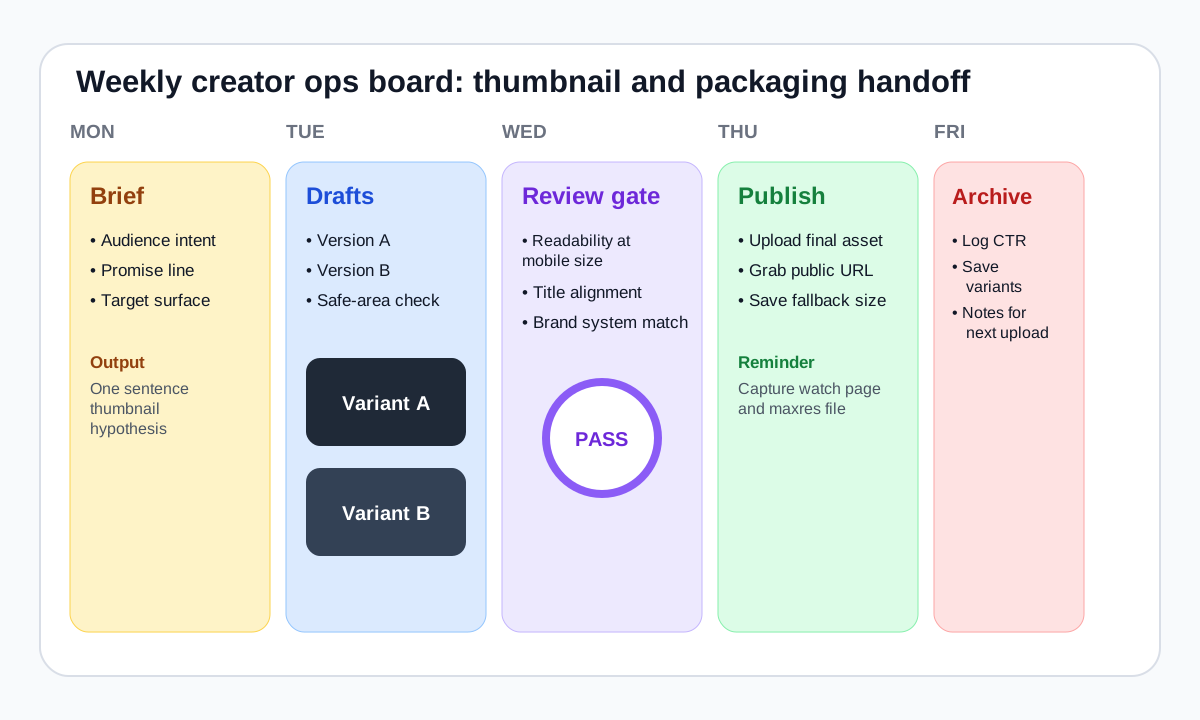
Most channels do not need elaborate software. They need a written brief, a visible review gate, and a reliable archive of the public files. That alone can make a small team feel like a maintained publisher instead of a scramble of last-minute uploads.
| Template | Use it when | What it prevents | Download |
|---|---|---|---|
| Thumbnail brief | You need design direction before any pixels move | Subjective “make it pop” feedback | Brief template (.md) |
| QA checklist | You want a fast publish gate for consistency | Uploading unreviewed variants that fail on mobile | QA checklist (.csv) |
| Audit scorecard | You are reviewing a month of uploads or competitor examples | Teardowns that stay purely anecdotal | Audit scorecard (.csv) |
A one-person channel can use the brief as a forcing function before opening Photoshop: what is the promise, what is the subject, and what must the viewer understand without reading the title?
An editor can own the brief, a designer can own the variants, and a producer can use the QA sheet before uploading and archiving the public image via the thumbnail grabber.
If your team already has process but lacks a visual system, continue to the brand consistency checklist.