Original example: “blurry” was actually a preview problem
A team thought the thumbnail download was bad, but the issue was that they were dragging a smaller preview from the browser rather than opening the image file itself.

Audience/problem: Use this page if a YouTube thumbnail seems missing, soft, stale, or oddly cropped. The goal is not just to list symptoms but to connect each one to the fastest reliable next check.
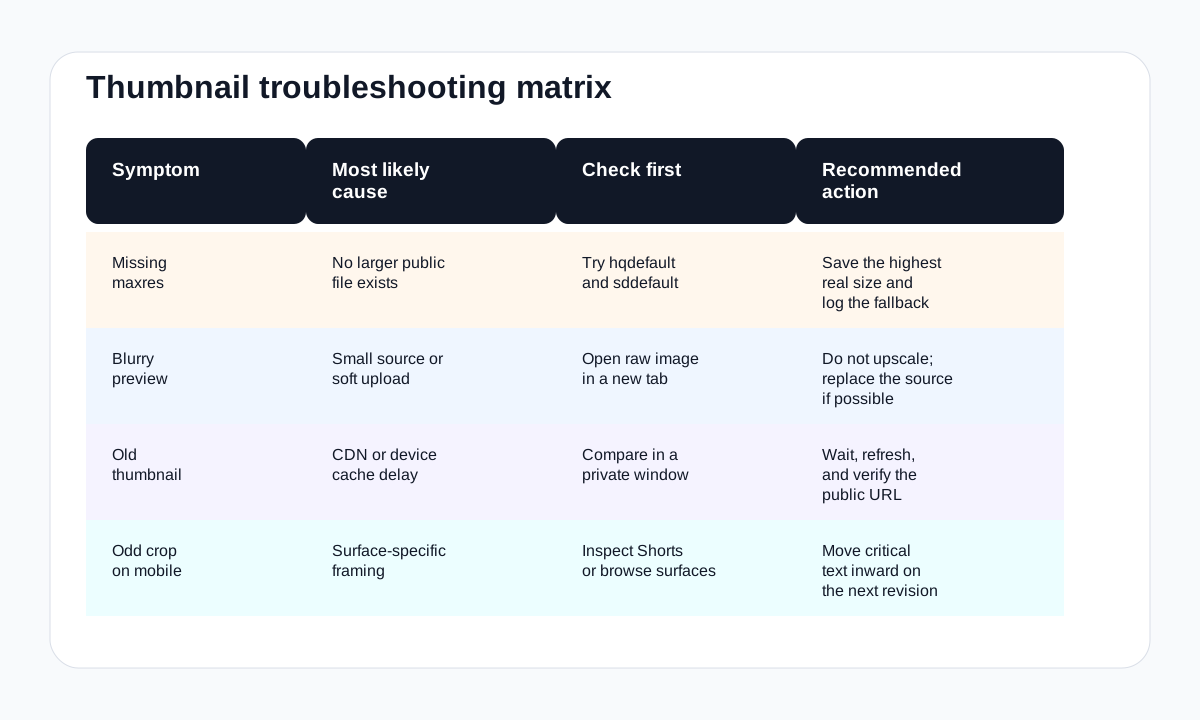
| Symptom | Likely cause | What to test next | Go deeper |
|---|---|---|---|
| Maxres is missing | The upload may not expose a larger public file | Try lower sizes in the grabber or manual URL guide | HD download guide |
| The image looks blurry | You may be looking at a smaller fallback or a soft source upload | Open the raw image in a new tab and compare hq, sd, and maxres | Thumbnail size guide |
| The old thumbnail still shows | Public caches or local device cache may not have refreshed yet | Check in a private window and compare the public image URL | Not updating guide |
| The crop looks wrong on mobile | Surface behavior may differ from the desktop watch page | Inspect Shorts and browse-context behavior separately | Mobile save guide |
A team thought the thumbnail download was bad, but the issue was that they were dragging a smaller preview from the browser rather than opening the image file itself.
A creator re-uploaded the same design twice when the real issue was that the public file had updated, but their device still showed the previous version.
If you want the broadest reference map after you solve the immediate issue, continue to the YouTube image asset reference center.