For creators
Use this page as the front door for packaging tasks: thumbnails, Shorts, banner work, and archive habits.
Audience/problem: Use this center when the question is bigger than a single thumbnail download. It helps you distinguish video thumbnails, Shorts treatments, banners, embeds, playlists, and archival assets so you can choose the right workflow first.
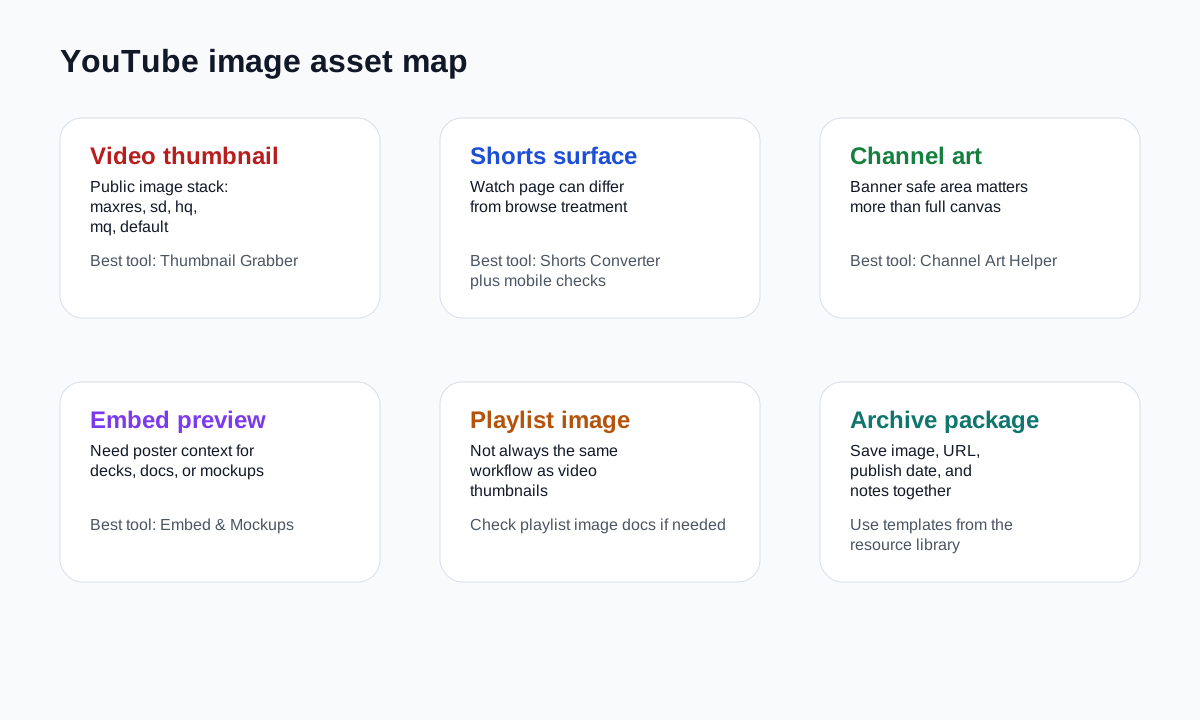
| Surface | Main question | Best starting tool or guide | Watchout |
|---|---|---|---|
| Video thumbnail | Which public image sizes are actually available? | Thumbnail Grabber | Not every video exposes maxres |
| Shorts presentation | Does the watch page image match discovery surfaces? | Shorts Converter + mobile guide | Surface-specific framing can differ |
| Channel art | Will the banner survive safe-area constraints? | Channel Art Helper | Full canvas and visible safe area are not the same |
| Embed preview | How will the asset appear in docs, sites, or mockups? | Embed & Mockups | An embed workflow is not the same as saving the raw image |
| Archive package | What should be saved with the image for future use? | Workflow templates | Images without provenance lose value quickly |
Use this page as the front door for packaging tasks: thumbnails, Shorts, banner work, and archive habits.
Use it to choose the right image source for decks, audits, and campaign references without mixing up surfaces.
Use it to preserve provenance by saving the image, source URL, and publishing context together.
For the curated resource set behind this center, browse the expanded guides hub or jump directly to the CTR workflow guide.